SSH (Secure Shell) is a cryptographic network protocol in use since 1995. It was created by Finnish computer scientist Tatu Ylönen in response to a password-sniffing attack at his university. Since then, SSH has become a fundamental tool for secure communication over unsecured networks, widely used for remote server management, secure file transfers, and more. Servers, both Linux and Windows, support the host side of the SSH protocol and there are client-side implementations for both Linux and Windows too.
Tatu’s network encryption addressed the password-sniffing attack but as you know that is not the only problem with passwords. Passwords are often shared for server access leading to a lack of “accountability”. Other problems with passwords include being guessable, reuse, phishing, etc. In fact, because of these problems password authentication and root login are disabled by default by most cloud providers (for example AWS, Google and Azure).
A more secure alternative to passwords is to use asymmetric keys. Asymmetric keys are supported in several ways; SSH keys, SSH Certificates, and more recently FIDO keys. All three methods involve a private key on the client side which is supposed to be kept secret and not shared. The corresponding public key is configured on the host side. The authentication requires that the client cryptographically prove it has the private key without disclosing it. However, there are some differences and challenges with each method.
Let’s have a look at the 3 methods in context of a Windows SSH client.
SSH Keys
These keys are static and manual. Setting up public/private key SSH access involves generating key pairs, configuring SSH servers to accept the keys, defining default keys, and using command-line tools. This can lead to issues like key sprawl and difficulty in revoking access. SSH keys do not expire themselves, which can be a security risk if the keys are not manually time limited on the host or regularly rotated or revoked but that is a management headache and doesn’t always happen. If these keys are kept in software on the client side, as is often the case, then they can be shared or copied to other devices and users resulting in the same lack of “accountability” that shared passwords have
SSH Certificates
Note these are not the X.509 certificates that are used for TLS but rather certificates specifically designed for SSH. The certificate includes a public key signed by a trusted Certificate Authority (CA) as well as metadata such as the identity of the user or host, expiration date, and specific permissions. For authentication the server verifies the client’s identity by checking the certificate’s signature against the CA’s public key. This ensures the certificate is valid and trusted. The management is centralized; certificates are issued and managed by a CA, adding overhead but at least providing a well-defined process of granting and revoking access. Note: Certificate revocation significantly complicates the overall solution. The certificates have a defined validity period, reducing the risk of long-term key compromise but the shorter the expiry term the more management overhead. As with SSH keys If the private key is kept in software on the client side, then they can be shared or copied to other devices and users resulting in the same lack of “accountability” or even be stolen.
SSH FIDO Keys
FIDO (Fast Identity Online) keys are easy to use and manage, as they do not require complex setup or maintenance. There is no CA overhead, so they are more like SSH Keys than SSH certificates in that respect. FIDO keys do not expire, which can be a security risk if these keys are kept in software on the client side but there are hardware-based solutions like USB keys that protect and bind the key to hardware mitigating the risk of shared, stolen or copied keys. On the downside portable hardware devices have their own life cycle to manage. They need to be procured, shipped, and then replaced if lost or stolen leading to possible loss of access until you purchase more keys.
Resolution
As I mentioned all three of the above have issues. These issues are all centered around how to manage and protect the keys. The best way to address them is to apply some of the same principles that WinMagic’s MagicEndpoint already applies to federated authentication for online web-based applications. With MagicEndpoint once a user logs into our application, a unique user-on-device (asymmetric) key becomes “accessible”. This user-on-device represents the user’s identity to the MagicEndpoint IdP.
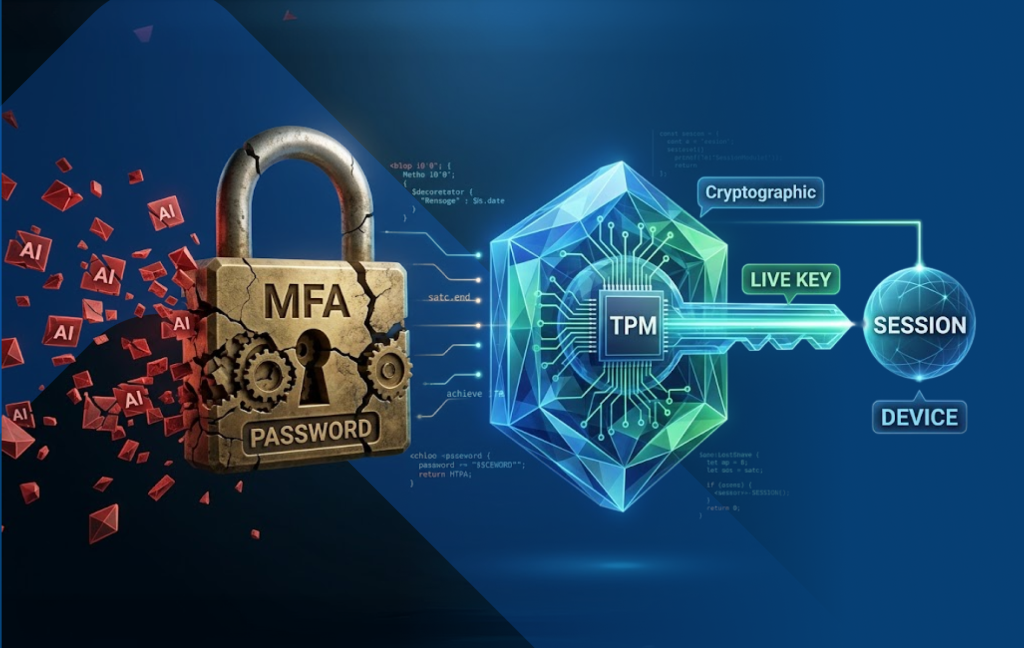
For SSH FIDO keys we do something similar. Once the user authenticates locally on the Windows device the SSH FIDO keys become “accessible”, and the user seamlessly logs into their SSH host. These keys are stored on the PC and when needed sent to the computer’s TPM (Trusted Platform Module) to be used in the SSH FIDO authentication. That is what I mean by “accessible”. The main point here is that the key is bound to the user’s Windows device via the TPM and the key is never in plain text outside the TPM. While a user can back up their encrypted SSH FIDO keys to the cloud they remain totally inaccessible except on the original TPM. This solves the “accountability”, stolen and shared keys problem without the expense and hassle of purchasing and deploying separate FIDO hardware authenticators. The same user can still access the same host from a different computer, but they will have a different unique user-on-device key protected by that device’s TPM.
By the way, WinMagic’s FIDO-TPM implementation is certified by the FIDO Alliance: https://fidoalliance.org/certification/fido-certified-products/ .
WinMagic’s MagicEndpoint client offers an intuitive and user-friendly way to manage SSH keys securely with TPM and FIDO.
Here are some highlights of the standalone version:
Standalone Features:
- Automatic creation of a default FIDO SSH key bound to the TPM.
- One-click creation of additional keys.
- User-friendly key management UI.
- key backup functionality. (keys can be backed up and saved securely anywhere)
- Security Advantages: If the user logs out of MagicEndpoint (or of course the Windows account), the SSH key becomes inaccessible
- Multiple users on the same device are supported.
- Compatibility:
- Supports PuTTY-CAC and Microsoft’s native OpenSSH command-line tools (“ssh”, “scp”, “sftp”, and “SSH tunnels”).
This solution not only simplifies the management and security of SSH keys but also enhances usability and compatibility across common SSH tools.
Enterprise Features:
We have an enterprise version too. The standalone addresses the issues of usability and security on the client side while the enterprise version addresses the key life cycle on the host side.
With the Enterprise version the user will get no-user-action access to their SSH host just like they get no-user-action to all their web applications after logging into the device, usually with local MFA.
With the Enterprise version the administrator has central control and visibility. The user has no standing access to the host. When host access is required the MagicEndpoint client seamlessly contacts the MagicEndpoint IdP which checks its access control list for the SSH Host and then if the user should have access dynamically registers the user and his public SSH FIDO key on the SSH host. Keys can also be dynamically withheld from the host if the user is not on the access control list.
Here are some of the possible features we are exploring:
- Central logging of key creation, deletion and host access
- Granular access control groups
- Visibility to all users given access to a given SSH host
- Visibility to all end point devices used for access to SSH hosts
- Log people out if time expires (Terminate port 22)
Get started today:
For more details and to download a free standalone version to give it a try, please see below:
- Free download here: https://github.com/WinMagic/MagicEndpoint-FidoEazy
- Video on Securing SSH Access with No User Action: https://youtu.be/_05ZIO6kS2Q