
Passwordless authentication & full-disk encryption
Always-on security, from boot to online access. No user action.
Identity belongs on the device. SecureDoc protects it from the moment it starts, and MagicEndpoint lets it sign the user in online, with the key it holds.
Trusted across public, private, and technology partners






Passwordless authentication
You sign in to your device. The device does the rest.
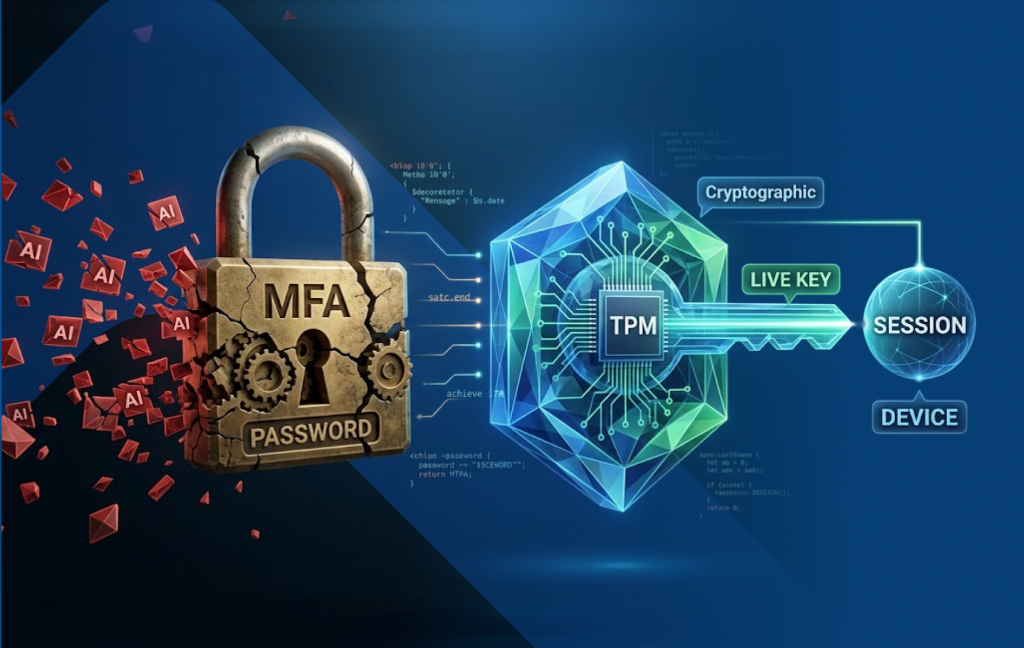
AI makes phishing cheap and convincing, and it goes after the login. MagicEndpoint holds a key in the endpoint’s TPM, or the Secure Enclave on macOS, usable only while the verified user is using the device and the device meets its security policy. From then on, the device authenticates the user with that key, without any user action.
Explore MagicEndpoint- No password, no code, nothing to approveafter signing in to the device.
- Keep your identity providerStandalone, delegated behind Okta, or federated behind Microsoft Entra ID. No application changes, and no PKI for you to build or run.
- Windows and macOSOn your own servers, including networks cut off from the internet, or as SaaS.
What sets MagicEndpoint apart?
Read the whitepaper-
The login ends in a key, not a verdict
Passwords, codes, push and passkeys end in a verdict that the login succeeded. The login to MagicEndpoint’s identity provider produces the key that protects the connection.
-
The key lives only while the conditions hold
Held in the TPM or Secure Enclave, it cannot be exported. When the user logs off or the device falls out of policy, the next sign-in from that device fails. Sessions already open in an app run until the app ends them.
-
Nothing at access to target
After you sign in to the device, access is a key agreement, not a step a person performs. With mutual TLS required for a group, there is no prompt for an attacker to stage.
-
Proven in the open
An open-source reference implementation, a public hacking challenge, a W3C proposal and Internet-Drafts at the IETF.
MagicEndpoint · For managed service providers
Are you a managed service provider?
Deploy MagicEndpoint for your own team and the clients you manage, with a program built for MSPs.
Free for MSPs to start: passwordless sign-in for your staff and your clients, managed by you.
Explore the MSP program
Full disk encryption trusted around the world.
FIPS 140-3 validated full disk encryption for Windows, macOS and Linux. With SecureDoc’s pre-boot sign-in on Windows and Linux, a disk’s key is released only after a person signs in. Keys, policies and recovery stay on SecureDoc Enterprise Server, on your own server.
-
Endpoints
Full-disk encryption
FIPS 140-3 validated FDE for Windows, macOS, and Linux, with pre-boot authentication for Windows and Linux.
-
Native OS
BitLocker & FileVault, managed
Run native OS encryption under one console: policies, keys, and recovery in one place.
-
Linux
SecureDoc for Linux
Onboard Linux devices remotely and control encryption centrally, with pre-boot network control.
-
Beyond laptops
Servers, files & SEDs
Server encryption, file and removable-media encryption, and Opal self-encrypting drives.
Pursuing CMMC 2.0 or NIST SP 800-171? See how SecureDoc maps to the controls
SecureDoc · Already a customer?
Add MagicEndpoint to the endpoints you already protect.
Same vendor, the same endpoints, and your keys stay with you. Existing systems don’t have to be replaced to get started.
Invented in Canada. Built for the world.
Founded in 1997. Trusted today by governments and enterprises across the world.
- 5M+licenses worldwide
- 80+countries deployed
- 29yrsof data security
- FIPS 140-3
- FIDO2
- OPSWAT Platinum
- NIST SP 800-171
- CMMC 2.0
Whitepaper and blog
- Whitepaper · ISF World Congress 2026 The best authentication is no authentication at all. Binding authentication to the channel: where AI-enabled attacks land in online access. Read the whitepaper
-
 October 9, 2026 · Thi Nguyen-Huu
More tooling will not close this. Authentication has to change shape.
-
 September 30, 2026 · Thi Nguyen-Huu
AI made the careful attack cheap. Authentication has to change.
FAQ
Frequently asked questions
What is WinMagic?
A Canadian cybersecurity company, founded in 1997 by Thi Nguyen-Huu, with two product lines: SecureDoc for endpoint encryption, with a sign-in before the operating system starts, and MagicEndpoint for passwordless authentication, which holds the key for the user in the endpoint so that online access needs no authentication step from the user.
What is the difference between SecureDoc and MagicEndpoint?
SecureDoc protects data at rest: it encrypts disks, removable media and files, and asks for a sign-in before a disk's key is released. MagicEndpoint protects online access: the user signs in to their own device, and from then on the device authenticates them with the key it holds. They work independently, and together.
What is MagicEndpoint?
MagicEndpoint is WinMagic's product for online access. It holds a key in the endpoint's TPM (or the Secure Enclave on macOS) that is usable only while the verified user is using the device and the device meets its security policy. The user signs in to the device; on Windows, the login to MagicEndpoint's identity provider is a mutual TLS handshake with that key. It works as a standalone identity provider, as a delegated identity provider behind Okta, or as a federated identity provider behind Microsoft Entra ID.
Is MagicEndpoint passwordless?
Yes. The user signs in to their own device, and from then on the device authenticates them with the key it holds: no password, no code, nothing to approve.
Is MagicEndpoint phishing-resistant?
NIST counts two mechanisms as phishing-resistant: verifier name binding, used by passkeys, and channel binding, used by mutual TLS. On Windows, MagicEndpoint's login is a mutual TLS login with a key held in the endpoint's hardware, which binds the authentication to the connection. An administrator can make it the only permitted method for a group; every other method is then refused for that group.
Is SecureDoc FIPS 140-3 validated?
WinMagic's cryptographic modules hold FIPS 140-3 certificates #5204 (Windows) and #5214 (macOS and Linux), validated in March 2026. WinMagic modules have been validated under every FIPS 140 version since 2002.
Does SecureDoc encrypt Macs?
SecureDoc manages Apple's FileVault 2 on macOS from the same server, and encrypts removable media on Macs.
Does SecureDoc support Linux full-disk encryption?
Yes, on Ubuntu, Red Hat Enterprise Linux and SUSE. It encrypts a running system, takes over LUKS disks, adds a pre-boot sign-in and manages the keys from SES.
Can WinMagic read my data?
No. WinMagic holds no key and built no recovery path around the person's secret. A computer you set to autoboot is protected only by its Windows sign-in.
Can I buy MagicEndpoint or SecureDoc separately?
Yes. Each works on its own and together, on-premises, air-gapped or as SaaS.
Can WinMagic run on-premises or air-gapped?
Yes. SecureDoc Enterprise Server runs on your own Windows Server and SQL Server. MagicEndpoint runs on-premises, including air-gapped networks, or as SaaS.
Does WinMagic support CMMC 2.0?
CMMC Level 2 assesses the controls in NIST SP 800-171. SecureDoc helps meet the encryption of CUI at rest with FIPS-validated cryptography (3.13.16, 3.13.11), removable media included. MagicEndpoint helps meet the multifactor authentication requirement (IA.L2-3.5.3). The requirement for third-party CMMC Level 2 certification has been suspended since 13 July 2026; NIST SP 800-171 obligations are unchanged.
What is Live Identity?
Live Identity in Transaction (LIT) is the architecture in which the endpoint opens mutual TLS directly to the service with its key, on every connection: the handshake is the login, and the TLS session is the session. MagicEndpoint implements the first stage today, and a reference implementation of LIT is published as open source.
Security from boot to online access.
Encrypt the device, sign the user in before the operating system starts, and let the device authenticate the user online.